Tech
Pulling
With publishing, the client starts the stream: a browser, an app or an encoder sends it to the Media Server. Pulling works the other way round.
Here the Media Server is the one who starts. You tell it over the REST API where the stream is, and the server pulls it from the source: another media server, an IP camera, a file.
Once pulled, the stream is like any other on the server: it can be played, recorded and republished in every supported way.

WebRTC
The Media Server can pull a stream published on another WCS server over WebRTC. One REST API call, /pull/webrtc/startup, gives it the other server's address, such as wss://wcs.example.com:8443, the name of the stream there and the name to give it locally.
The server connects to the other one, plays the stream over WebRTC and publishes it under the local name. Video comes as H.264 or VP8, audio as Opus, with the low latency of WebRTC all the way.
This is how a stream published in one place reaches viewers connected to another server: in another region, or behind a server that adds playback over HLS, RTSP or RTMP.
RTMP
A stream that is already on an RTMP server, another media server or a restreaming service, does not have to be published again: the Media Server pulls it.
The REST API call /pull/rtmp/startup takes the stream's URL, for example rtmp://rtmp.example.com/live/stream1, and the name to give it locally. Video comes as H.264, audio as AAC.

rtmp://rtmp.example.com/live/stream1The server connects to the source over RTMP, plays the stream and publishes it under the local name. From there it is played like any other stream on the server: over WebRTC with sub-second latency, or over HLS, RTSP and RTMP.
RTSP
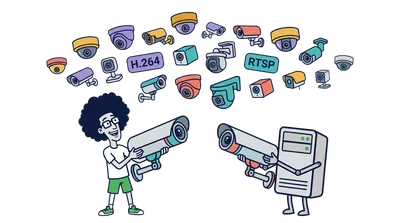
IP cameras, surveillance systems, other media servers and conference servers give their streams over RTSP. The Media Server connects to such a source by its RTSP URL and pulls the stream on demand.
The REST API call /rtsp/startup takes the URL, for example rtsp://camera.example.com/live, and the name to give the stream locally. Video comes as H.264, VP8 or H.265, audio as AAC, G.711 or Speex.
rtsp://camera.example.com/live
Browsers then watch the camera over WebRTC with sub-second latency, and the camera serves one connection however many viewers there are.
VOD
A recorded video can go live too. The Media Server pulls an MP4 file from its own disk or from AWS S3 and other S3 compatible storage, and plays it out as a live stream.
Any number of viewers can watch it at once, and it can be transcoded, mixed and played over HLS like a live stream. The server can also loop it, starting the file over when it ends. The file holds H.264 or H.265 video and AAC audio.
From the server's own disk, the REST API call /vod/startup takes the file, for example vod-live://sample.mp4, and the name of the stream. The server answers and plays the file from its file system as a live stream.
From S3 storage, the same call takes a link to the file, for example vod://s3/bucket/sample.mp4, or the full URL of a file in other S3 compatible storage. The server answers, requests the file from the storage and plays it while it downloads.
PCAP
When a source misbehaves and cannot be reached, its recorded traffic can stand in for it. The Media Server replays network traffic captured with tcpdump from .pcap files on its own file system as a stream, simulating the real packet flow.
The REST API call /pcap/startup takes the PCAP configuration, for example pcap://config.yaml, and the name to give the stream locally. The server reads the file, turns the traffic into a stream and answers, and the stream is played like any other, so the problem can be reproduced and debugged.
This is a tool for testing, not for production.
Launch your streaming server
LLcast will deploy a dedicated Media Server just for you. Tell it where your streams are, and it pulls them: from another server over WebRTC or RTMP, from IP cameras over RTSP, from MP4 files on disk or S3. Then play them any way you need.