Origin
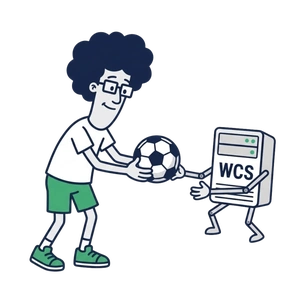
Accepts streams from publishers — browsers, mobile applications, encoders, IP cameras — and makes them available to the rest of the CDN.


Platform · Product
Build and manage distributed streaming infrastructure using Origin, Transcoder, and Edge nodes. Keep latency low with real-time streaming protocols like WebRTC, RTMP, and SRT throughout your CDN.
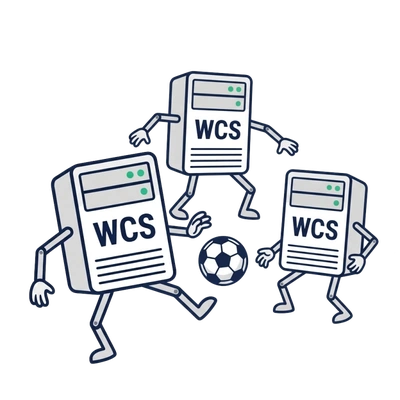
When a single media server is no longer enough, a Streaming CDN comes to the rescue. It connects multiple media servers into a network, distributing workloads and scaling stream delivery as your audience grows.
Deploy nodes across different regions to bring streams closer to your viewers, wherever they are.
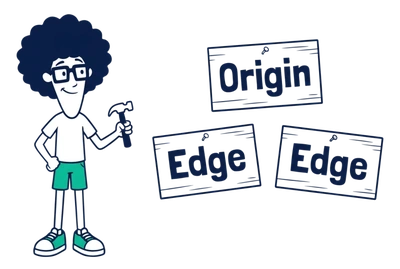
Origin · Transcoder · Edge · Topology
Accepts streams from publishers — browsers, mobile applications, encoders, IP cameras — and makes them available to the rest of the CDN.
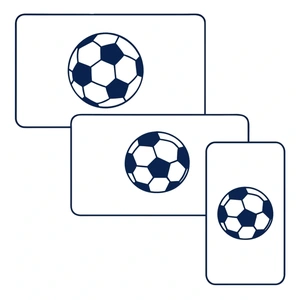
Produces additional renditions of a stream, for example lower resolutions or bitrates, when viewers need them.
Serves viewers. An Edge receives a stream from the CDN when viewers request it and delivers it to them.
Bob is streaming live from his laptop camera in beautiful 1080p. Alice joins from her phone, but her mobile connection can’t quite keep up.
No problem! Along the way, the stream passes through a Transcoder, which converts it to 360p before it reaches Alice.
Same live stream, less bandwidth, happy viewers.
Streaming CDN in two regions, US and EU. Each region has an Origin, a Transcoder and two Edge nodes. Streams reach the Edge nodes either through the Transcoder or directly from the Origin, and the US and EU Origins replicate streams to each other. Highlighted route: Bob publishes a stream to US Origin; it is replicated to EU Origin, transcoded by EU Transcoder and delivered by EU Edge 2 to Alice, who watches it.
Let’s explore a few ways to build your Streaming CDN — from the simplest setup to complex, multi-component networks.
We promise it won’t be boring!
3 Nodes
A tiny CDN with one Origin and two Edge nodes. Nothing fancy, just enough to get started.
4 Nodes
Add a Transcoder to generate multiple stream resolutions and deliver the right quality to your viewers.
5 Nodes
Add a Recorder to automatically record streams flowing through your CDN.
5 Nodes
Add a couple of Secondary Origins to distribute streams across different locations — say, the US West Coast and East Coast.
5 Nodes
Distributes viewer connections across Edge servers, helping spread the load and keep streaming smooth as your audience grows.
16 Nodes
Give each region its own Origin and supporting nodes. Twice the servers, but now your CDN spans both the US and Europe.
Picked your CDN configuration? Great! Now let’s add a few services that can make a real difference in production.
There are two: Topology, Monitoring. Your CDN can run without them, but life is much easier with them.
Topology. Keeps track of your entire CDN topology and displays nodes and their connections on a live map.
Monitoring. Collects CDN metrics and logs signaling events, helping you understand what’s happening across your streaming network.
Time to bring your first CDN online! You’ve explored different CDN topologies and probably have a pretty good idea of what you need.
With LLcast, it takes just three steps.
Start by designing your CDN topology. LLcast helps you put together a deployment plan using the same familiar diagrams you’ve just explored.
Your CDN plan is ready. Now assign a real compute resource to each node — an instance on AWS or DigitalOcean, or one of your own servers.
Take one last look at your setup. Need to change something? Just go back and make adjustments.
Everything looks good? Hit Deploy and grab a coffee. LLcast takes care of the rest, and your CDN should be ready for testing in just a few minutes.
Your CDN is up and running, glowing a beautiful green: Healthy.
That means it’s time for our first epic live stream. Let’s go!
LLcast asks how you’d like to publish your stream: RTMP, WebRTC, or RTSP?
Let’s pick WebRTC so we can test everything right in the browser.
Follow the link, click Live, and you’re on air!
You can also copy the player link and share your stream with anyone — or embed the player directly on your website.
Got a big streaming project in mind? Start building it today. Design your CDN, choose your infrastructure, and bring your vision to life with LLcast.